Event registration form: a free template you can open and send today
Fill in the preview as a registrant would, switch between the five-field and ten-field versions, tick extra questions for workshops, youth events or webinars, and send the lot to the form builder in one click. For the door, there is a printable sign-in sheet.
- 5 or 10fields to start from
- 13optional questions
- No accountneeded to register
- 1 sheetto sign walk-ins in
By Michael Hodge, BSc Psychology Updated 23 September 2026
What each field is for
The short version is five fields and suits a free talk or meetup. The full version adds the details a conference or paid workshop needs. Toggle between them in the preview, and the form you open is the one on screen.
| Field | Why it is on the form |
|---|---|
| Full name | It goes on the badge and the door list, so ask once, in one box. Splitting a name into first and last fails for plenty of real names.5 |
| Email address (for your joining details) | Where the address, the stream link and any change of plan go. The label says what it is for, which is what makes people comfortable giving it.3 |
| How will you join? In person / Online | For hybrid events the room and the stream need separate numbers: chairs and catering for one, a webinar seat for the other. Delete it if your event is only one of the two. |
| Organisation | Badges read better with it, and it tells you which companies or groups are coming. Optional, because freelancers, students and the curious register too. |
| Is there anything we can do to make the event accessible for you? | An open question gets you ramps, captions, a quiet room or a seat near the front in time to arrange them, without asking anyone to explain a condition. |
| Job title | Useful for professional events where people network by role, and for speakers who like to know who is in the room. |
| Mobile number | For the evening itself: a room change, a late start or a lost registrant at the wrong entrance. Phone numbers appear on 66 percent of real-world forms in one index of 994,6 but here it stays optional and the intro should say it is only used on the day. |
| Dietary requirements | Only when food is served. Written answers reach the caterer as they are, so a nut allergy is never squeezed into the wrong tick box. |
| How did you hear about this event? An email from us / Social media / A colleague or friend / Our website / Somewhere else | Tells you which channel filled the room, so the next event gets its promotion where it actually works. |
| Would you like to hear about future events? Yes, email me / No, thank you | A separate question with nothing selected in advance. Consent to marketing has to be a clear choice, and a pre-ticked box does not count.4 |
Optional questions for your kind of event
Tick the ones you need. They appear in the preview straight away and go into the form builder with everything else.
Conferences and multi-day events
Workshops and training
Community, youth and sport
Webinars and online events
Four steps to open registration
Your fields arrive in the builder already typed, with the required ones marked. Finish these four things before the link goes out.
- 1
Put the essentials in the intro
Date, start and end time, the place or "link sent after you register", the price if there is one, and the last day to register. People decide from the intro before they read a single field.
- 2
Fit the fields to the format
Delete "How will you join?" for an event that is only in person or only online, and rename the workshop options to your sessions. A registration form should be as short as the event allows.
- 3
Write the confirmation on the thank-you screen
The Thank you tab sets the message people see the moment they register. Put the date, the place and what to bring there, so the confirmation answers the questions people would otherwise email you.
- 4
Set the closing date and publish
Start and End Dates in Settings closes registration on schedule. Publishing asks for an email address and gives you the registration link. Post it on the event page, send it in your newsletter, or put its QR code on posters. Each registration lands in your dashboard the moment it is sent.
A form people finish
Most registration forms lose people to length and doubt, not to the event. Three rules keep both down.

Every field has to be used on the day
Before a field goes in, name the person who will use the answer and when. In a lab study of 65 people filling in real registration forms, versions rewritten to 20 form-design guidelines were finished 18 to 33 percent faster than the originals.1 Data protection law points the same way: collect what you need, not what might come in handy.2

Say why you want each detail
A field label that explains itself, like "Email address (for your joining details)", gets filled in without a second thought. The UK government design system recommends exactly that for email fields, and advises against making people type their address twice unless testing shows it helps.3

Keep marketing consent separate and unticked
Registering for one event is not agreeing to a newsletter. Ask separately, leave both answers unselected, and record what people chose. Under UK data protection guidance, silence, inactivity and pre-ticked boxes are not consent.4
A sign-in sheet for the door
Walk-ins, lost confirmations and a patchy venue signal happen at every event. A paper sheet at the door catches all three.
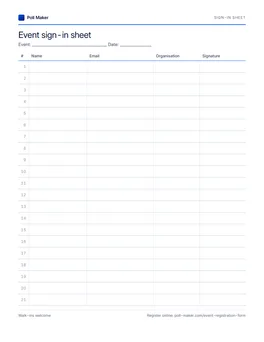
Printable event sign-in sheet
Twenty-one ruled rows for name, email, organisation and signature on one Letter page. Type the names into your form afterwards so every attendee ends up in one list.
Download PDFWhich fields for which event
Start from the short or full version, then add from the list above.
| Event | Start with | Add from the list |
|---|---|---|
| Free talk or meetup | Short version | Nothing, or the question for the speakers |
| Conference | Full version | Days, workshops, reception, badge name |
| Workshop or class | Short version plus dietary requirements | Experience, what to learn, laptop |
| Webinar | Short version without "How will you join?" | Time zone, question for the speakers |
| Youth or sports event | Short version | Emergency contact, date of birth, photos |
What the confirmation should say
The thank-you screen is the first thing people see after they register, and the thing they come back to on the day.
- The date, the start and finish time and, for online events, the time zone.
- The full address with the entrance, the nearest station or parking, or when the online link will arrive.
- What to bring: a ticket, photo ID, a laptop, comfortable shoes.
- How to cancel, so the place goes to someone else instead of staying empty.
- Who to contact with a question, by name.
Copy the same details into your reminder email the day before. People search their inbox for the event name, not for your organisation.
Event registration questions
What should an event registration form include?
A name, an email address for the joining details, and anything the organisers will act on: how people will attend for a hybrid event, access needs, and dietary requirements when food is served. That is what the short version here asks, and everything else is optional.
Should I ask for first name and last name separately?
Usually not. One field copes with the most kinds of names; split fields only help when you need to sort or address people by one part of the name.5
Do people need an account to register?
No. Registrants only need the link. Building the form takes no account either; the builder asks for an email address at the moment you publish.
How do I close registration when the event is full?
Turn on Start and End Dates in the form's Settings to close registration on a set date. If you fill up earlier, watch the count in your dashboard and move the end date to that day.
Can people register on their phones?
Yes. The form is a single column that fits a phone screen, and the email and phone fields bring up the matching keyboard.
Is it safe to ask for date of birth or emergency contacts?
Only ask when the event needs them, such as age limits, sport or youth activities, and say why in the label. Data protection rules require personal data to be limited to what is necessary.2
Can registrations go straight into a spreadsheet or Slack?
Poll Maker collects every registration in your dashboard. If your team already works from Google Sheets, Notion, Airtable or Slack, PulseFormCreator is a free form creator made by the same company that sends each registration there as it arrives. Its event registration template also asks for the names in a group only when someone books more than one place.
How do I handle walk-ins?
Print the sign-in sheet above for the door, then type those names into the form after the event so your attendance list is complete in one place.
Open registration in the next ten minutes
Start from a form that already asks the right things, change the date and the place, and send the link.