Free live word cloud generator
Phones send words, and the cloud grows on your screen live. No app, no sign-up.
- Write your question
- Show the join code
- Watch the words grow
Drag to reorder, or press Space to pick up, the arrow keys to move and Space to drop.
Free. Phones join by QR code, with no app.
Polling 1 Million+ People Everyday

Free live word clouds, with no audience cap
Word clouds are free in Poll Maker Presentations. Up to 10 words each, no ads, and no account or app for anyone. Paid plans remove the Made with Poll Maker badge.
- No audience cap
- Up to 10 words each
- No ads
- No account or app for anyone
How a live word cloud works: phones send words, repeats grow
An interactive word cloud: people join by QR code, send a word from their phone, and repeats grow.
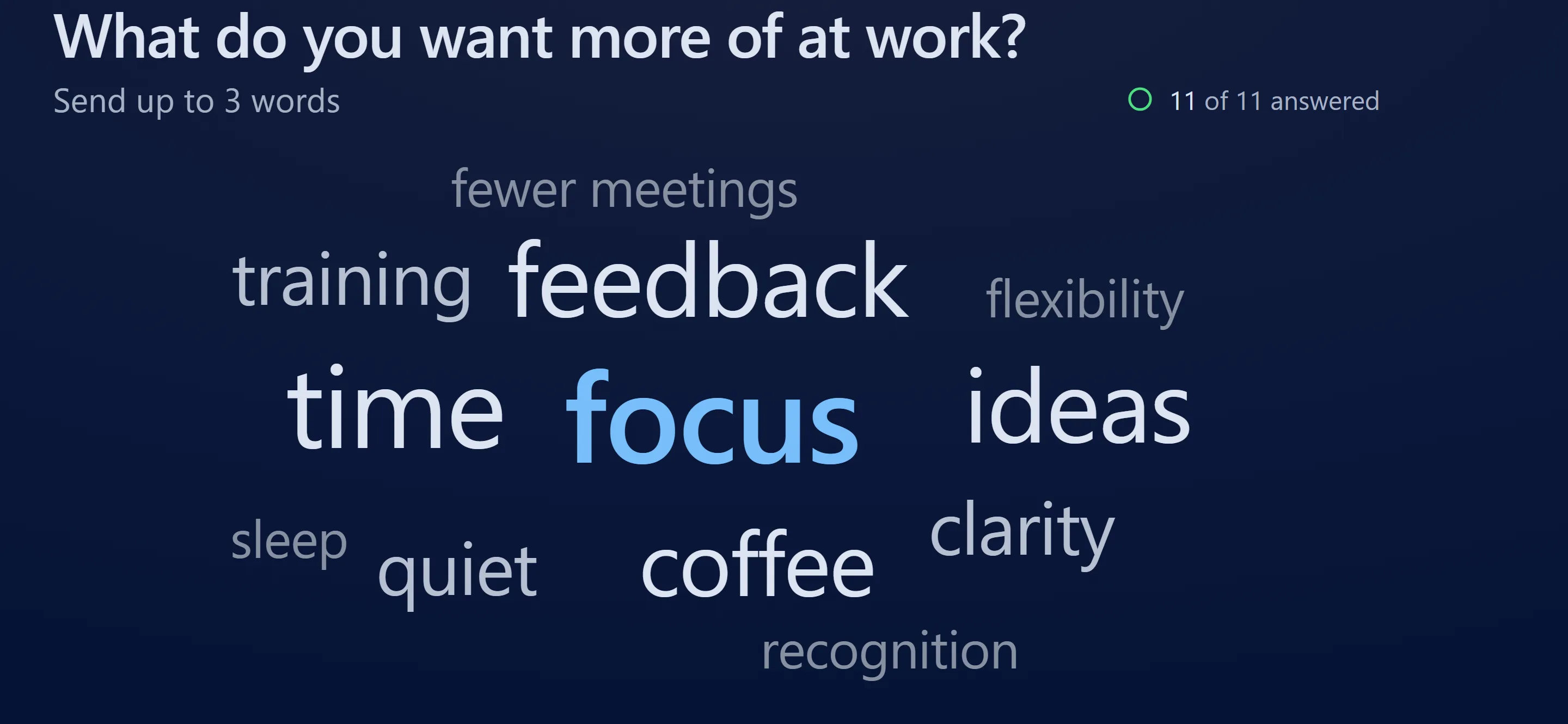
A sample room.
- Idea, ideas and IDEAS! count as one word.
- Words never turn sideways or jump around, so the room can read them as they grow.
- Common swear words are held off the screen, and you can hide any word.
Free. No app, no sign-up for anyone.
Profanity filter, and hide any word while people answer
Common swear words are held back, and any word you hide stays hidden.
A sample room. The list is what you see on your phone.
- Held words wait in your word list, so you can still show one.
- Hide any word from your phone while people still answer.
- Your list shows how many people sent each word, so you know what to talk about first.
Join by QR code: no app, no account, any phone
People scan the QR code or type the 6-digit code, and your question opens in their browser.
- Each person sends 1, 2, 3, 5 or 10 words, so a small room still fills the screen.
- A word can be up to 25 characters, so short phrases fit.
- Phones see the cloud after they send, so early words do not steer the room.
Top words, counts and free downloads
Up to 60 words stay readable on screen. Switch to Top words for counts. Downloads are free.
- Download the cloud as a picture, or copy it into your slides.
- Copy every word and its count as text, or download CSV or Excel.
- Hidden words stay out of the report and the downloads.
Live word clouds for classrooms, meetings, training and events
Start from a word cloud question that already works in your room.

Classrooms
Open a lesson with one word, then see what stuck at the end.
Meetings and retros
Take the team's pulse before you start, or sum up a sprint in a word.
Training
Ask what people want from the day, then what they will use first.
Events
Welcome the room and see where everyone came from, all on the big screen.
Word cloud questions that fill the screen
Ask for a feeling, a goal or a worry. Pick one and it loads into the editor.
Icebreakers
Check-ins
Classrooms
Training
Meetings and retros
How to run a word cloud people remember
Four habits that turn a word cloud into a conversation.
Ask for a word, not a sentence
Ask for something people already have in mind. "How was this week?" fills a cloud, because many people pick the same words. "What did you think of the training?" gets sentences that never repeat, so nothing grows.
Pick 1, 3 or 5 words each
One word each gives the clearest headline: the biggest word is the room's answer. Three each fills the screen fast in a small room. Use 5 or 10 for a brainstorm, where range matters more than a winner.
Hide names and jokes at once
Hide a name, an inside joke or anything off topic as soon as it lands. It leaves the screen at once and stays hidden if others send it. The cloud keeps its pace.
Read the cloud in three passes
Read the three biggest words first: they are the room's answer. Switch to Top words for the counts. Then read the small words, where the honest one-off answers hide.
How this live word cloud compares
Free plans differ in how many people can join and what you can hide or download.
| Feature | Poll Maker | Mentimeter | Slido | AhaSlides | Poll Everywhere |
|---|---|---|---|---|---|
| Free audience size | No cap | 50 per month | 100 per event | 50 per presentation | 40 at once |
| Hide a word live, free | Yes, and it stays hidden | No, close answering first | Yes | Yes, and it stays hidden | No, moderation is paid |
| Swear filter on the free plan | Yes, always on | Yes, pick the languages | Yes, on by default | Yes | No, a paid feature |
| Download every word and count, free | Yes, CSV and Excel | No | No | No | Yes |
| Your own colors, free | Yes, 16 themes and your colors | No | No, preset themes only | No | No |
Checked on 16 October 2026 from each tool's own public pages and help articles, free plans only. Features change, so check the tool's page before you choose. Product names belong to their owners.
Live word cloud FAQ
It is the same editor you use for live polls for presentations.
Is this live word cloud free?
Yes. Word clouds are free, with no audience cap. Nobody needs an account or an app: people scan the QR code or type the 6-digit code at poll-maker.com/join. If your polls regularly run far beyond 50,000 people in a room, we will get in touch about a plan that fits, and nobody is ever cut off mid-poll.
How many words can each person send?
You choose 1, 2, 3, 5 or 10 words per person. Each word can be up to 25 characters. One person counts once per word, so nobody can stuff the cloud.
Can I remove inappropriate words?
Yes. Common English swear words are held back before they reach the screen. Hide any other word with one tap, and it stays hidden if more people send it.
Are word cloud answers anonymous?
Yes, by default. Nobody is asked for a name. If you turn on Ask for names in Settings, names show in your report, never on the big screen.
Does it count "idea" and "ideas" as the same word?
Yes. Capitals and end punctuation are ignored, so Great, great and GREAT! count as one word. Idea and ideas count together, and words in any language and emoji count too.
Can I download the word cloud?
Yes, free. Download the cloud as a picture or copy it into your slides. Get every word and its count as CSV or Excel.
Can people answer without a live presentation?
Yes. Run it as a word cloud poll with a link, instead of live in the room. People send words when it suits them, and the cloud fills as they answer.
How is a live word cloud different from a word cloud generator?
A word cloud generator counts the words in text you paste in. A live word cloud collects new answers from people as they arrive. It shows what your room thinks right now.